Taking down a website sounds simple until somebody asks where the contact-form submissions live, which email addresses use the domain, or what should happen to 4,000 links pointing at old pages.
Pull the hosting first and you can lose records, strand customers, break email, waste years of earned links, and leave behind DNS entries that create a security problem. Keep everything forever and you keep paying for software while holding data you no longer need.
This website decommissioning checklist gives business owners, developers, agencies, and IT teams one shutdown plan. It works whether you’re retiring a campaign microsite, closing a business unit, combining two websites, changing domains, or replacing an old application.
The goal isn’t merely to make the site disappear. The goal is to preserve what the business still needs, dispose of what it doesn’t, route people to the right place, close access cleanly, and leave an audit trail.
The five-phase website decommissioning framework
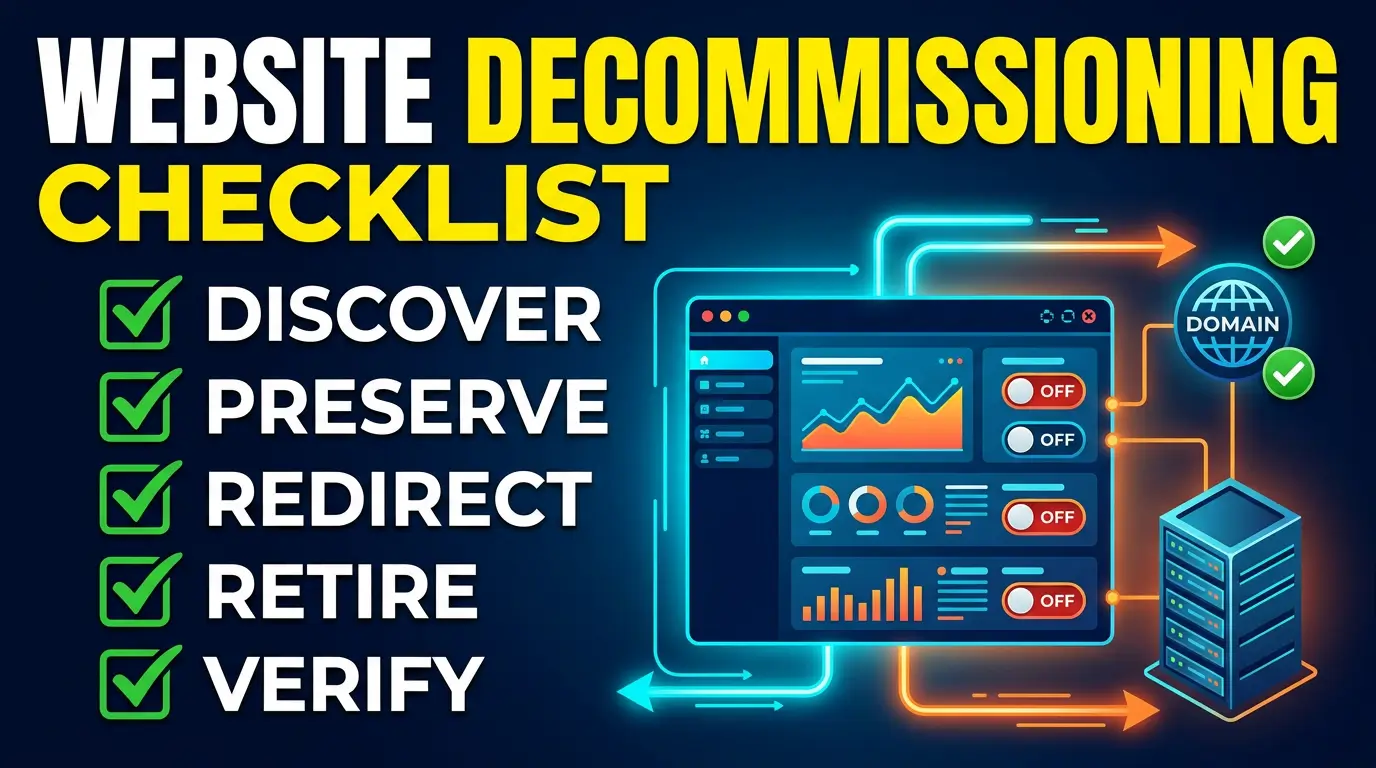
Use five phases in this order: discover, preserve, redirect, retire, and verify. The order matters. You need an inventory before you can decide what to keep. You need a tested archive before destroying an environment. DNS should be cleaned up before the service it points to is released.
Assign one shutdown owner who can hold the process when evidence is missing. Then name an owner for each system: website, domain and DNS, email, customer data, analytics, advertising, finance, and legal. A vendor can perform the work, but an employee should approve the final disposition of company assets and data.
Use a simple decision label for every asset:
- Keep: the asset remains active, such as the domain, email, or a redirect server.
- Archive: preserve a readable or restorable copy for an approved period.
- Migrate: move the content, data, or function into a replacement system and verify it there.
- Destroy: remove the asset after retention, legal, and operational requirements are satisfied.
Don’t assume one label applies to the whole website. You may destroy the old hosting account while keeping the domain for years and retaining an encrypted database archive for a defined period.
Phase 1: Discover every dependency
A website is usually a front door connected to a back room full of services. Start with the visible site, then trace what sends data in and what receives data out.
Build the asset register
Record the registrar, DNS provider, hosting account, CDN, source-code repository, content management system, database, object storage, certificates, form processor, email provider, analytics properties, tag manager containers, advertising pixels, payment provider, CRM, scheduling tool, chat widget, review widget, consent manager, uptime monitor, and backup service.
For each item, record the account owner, billing owner, renewal date, authentication method, recovery contact, data held, retention decision, planned action, completion evidence, and approver. Screenshots help, but exports, configuration files, invoices, and ticket numbers make stronger evidence.
Inventory all hostnames, not only www. Look for shop, app, portal, help, careers, events, staging names, and old vendor validation records. A DNS export is a useful starting point. Compare it with the CDN, certificate inventory, code repositories, password manager, and accounting records because no single source is likely to show every service.
Map business processes before technical systems
Ask what a customer, employee, or vendor does through the website. Can they request a quote, pay an invoice, download a warranty, reset a password, book an appointment, check an order, submit a job application, or report a problem? Each process needs a replacement, a clear notice, or an approved end date.
Check printed material too. Product labels, vehicle wraps, invoices, packaging, manuals, QR codes, trade-show displays, directory listings, social profiles, map listings, and email signatures may send people to the old domain long after the website closes.
Finally, identify the pages that still earn traffic or links. Export landing-page data from analytics and Search Console, crawl the site, and review backlink data if you have it. This becomes the redirect map in phase three.
Phase 2: Preserve content, records, and proof
An archive should answer two different needs. One is business reference: “What did the warranty page say in May?” The other is technical recovery: “Can we restore the site if the replacement fails?” A PDF or screenshot may solve the first question but can’t solve the second.
Create three kinds of archive
Make a human-readable archive of important pages, policies, product information, terms, pricing, warranties, and forms. Keep original files for contracts and downloadable documents rather than relying only on a screenshot.
Create a technical archive containing source code, database exports, uploaded media, environment and build documentation, dependency lock files, web-server rules, DNS records, certificates where appropriate, and a list of external services. Don’t store live secrets in an ordinary project folder. Preserve the configuration needed to rebuild the system while putting credentials in an approved secret store.
Create an evidence archive for the shutdown itself. Save the approved plan, asset register, redirect map, data-retention decisions, deletion confirmations, final invoices, screenshots of notices, test results, and the names and dates of approvals.
Test the archive before trusting it
A backup job saying “successful” isn’t a restore test. Restore the site or its critical data into an isolated environment. Open a sample of pages and files. Confirm that database tables, encodings, file paths, and application versions are usable. Record who ran the test and what passed.
Set a retention period and deletion owner for each archive. Keeping an unlabeled backup forever creates cost and exposure. For physical media and storage devices, NIST SP 800-88 Revision 2 recommends choosing sanitization controls based on information sensitivity and intended media disposition. If your records include consumer-report information, the FTC Disposal Rule requires covered businesses to take appropriate measures when disposing of it.
Payment data deserves its own review. The PCI Security Standards Council’s data storage guidance says merchants should strictly limit cardholder-data storage and retention. Don’t copy a payment database into a casual archive because “we might need it.” Have the person responsible for payment compliance approve the action.
Phase 3: Redirect people, links, and messages
There are three valid outcomes for an old URL. Send it to a true replacement, serve a useful retirement notice, or return a proper gone/not-found response. Sending every old URL to the new homepage is convenient for the project team, not for the visitor.
Build a one-to-one redirect map
Match pages by intent. An old product page should go to the replacement product, a relevant category, or a support page explaining that the product was retired. A location page should go to the acquiring or nearest location when that helps the visitor. Preserve query parameters only when the destination needs them, and prevent redirect chains and loops.
Use permanent server-side redirects for content that moved. Google’s site-move documentation recommends keeping redirects for as long as possible and generally at least one year. Keeping high-value redirects longer can still help people following old bookmarks, PDFs, emails, and third-party links.
If content must disappear from Google quickly, Search Console’s Removals tool can help, but it isn’t the permanent fix. Google says a successful request lasts about six months. Remove or restrict the source content correctly as well.
Publish a retirement notice that answers real questions
For a closed business or service, state what changed, the effective date, where customers should go, how to get support, what happens to orders or accounts, and how privacy requests can be made. Don’t leave a vague “under construction” page running for two years.
Keep the notice lightweight and accessible. It shouldn’t depend on the application being retired. A static page on separate hosting is easier to secure and less likely to fail.
Protect email and customer communication
The domain may still receive quote requests, invoices, password resets, legal notices, and messages from customers who saved an old address. Inventory mailboxes, aliases, automated senders, SPF, DKIM, DMARC, and MX records before touching DNS.
Route important old addresses to an accountable team, add an accurate auto-response where appropriate, and monitor delivery. A catch-all can reduce missed mail during a transition. Cloudflare documents that its catch-all routing can forward every message sent to a domain, including misspelled local parts, though it may also collect more spam and should have a defined review period.
Tell customers and partners before shutdown when their normal process will change. Give staff a short response script. If callers hear one answer from sales and another from the retirement page, the technical shutdown can be perfect and the customer experience can still fail.
Phase 4: Retire infrastructure without leaving loose ends
Work from the outside in. Move traffic and communication first. Then remove integrations, data, compute resources, and accounts. Keep the domain, DNS control, and monitoring until the transition is proven.
Use this shutdown checklist
- Approve the purpose, shutdown date, rollback window, owners, and success criteria.
- Freeze nonessential content and code changes so the archive and redirect map don’t drift.
- Export the full asset register, DNS zone, URL crawl, analytics landing pages, and key backlinks.
- Capture human-readable, technical, and evidence archives with retention and deletion dates.
- Restore-test critical content and data in an isolated environment.
- Migrate required customer, order, form, account, warranty, and consent records.
- Confirm legal holds, contract terms, tax records, privacy requests, and industry retention rules with the responsible advisers.
- Publish customer and employee notices with dates, support paths, and replacement processes.
- Implement and test one-to-one redirects, retirement pages, and intended 404 or 410 responses.
- Update internal links, sitemaps, canonical tags, campaign URLs, QR codes, directories, map listings, social profiles, ads, and printed-material plans.
- Test email routing, aliases, automated senders, authentication records, and recovery addresses.
- Lower DNS TTLs before the cutover if your change plan calls for faster rollback, then restore appropriate values afterward.
- Stop new writes, take the final approved backup, and record the last transaction or submission migrated.
- Revoke API keys, webhooks, deploy keys, service accounts, OAuth apps, vendor users, and staff access that is no longer required.
- Remove third-party scripts and integrations, then confirm vendors stopped receiving new data.
- Remove DNS records for retired third-party resources before releasing those resources.
- Delete or sanitize data according to the approved schedule and retain deletion confirmations.
- Cancel licenses and hosting only after exports, migrations, redirects, and rollback requirements pass.
- Keep control of the domain, registrar account, DNS, and essential email for the approved defense period.
- Turn on domain auto-renewal, registrar lock, multifactor authentication, monitored recovery contacts, and renewal alerts.
- Monitor redirects, error rates, search coverage, email delivery, customer contacts, certificates, and unexpected DNS changes.
- Obtain business, technical, security, data, and finance sign-off before closing the project.
The order of DNS and vendor removal deserves attention. A dangling DNS record can point a trusted company subdomain at a third-party resource that no longer belongs to the company. OWASP’s testing guide describes this pattern as a record pointing to an unclaimed resource on a third-party service. Its prevention checklist recommends updating or removing the DNS record as part of the service-decommissioning sequence.
Don’t let the primary domain expire as a shortcut to shutting down. ICANN requires applicable generic top-level-domain registries to offer a 30-day Redemption Grace Period after deletion, but recovery can involve extra cost and isn’t a substitute for controlled ownership. A former domain can matter to email, password recovery, old links, printed material, and brand trust long after hosting ends.
Phase 5: Verify the shutdown and watch what remains
The project isn’t finished when the old server turns off. It is finished when the agreed replacement paths work, retained assets are controlled, retired assets are gone, and somebody accepts responsibility for what remains.
Test from outside your company network
Check representative old URLs from a clean browser and a command-line HTTP client. Verify status codes, final destinations, HTTPS, mobile behavior, accessibility, page titles, forms, phone numbers, and email. Test important countries or networks if the site used geographic routing or a CDN.
Run a fresh DNS and hostname review. Compare it with the original inventory. Look for unexpected CNAME, A, AAAA, MX, TXT, and nameserver records. Confirm no hostname shows a vendor’s “resource not found” or account-claim page.
Inspect analytics on the destination, server logs for old URLs, Search Console coverage, uptime checks, mail logs, and customer-support contacts. These signals tell you which forgotten links and business processes still need attention.
Use clear exit criteria
Set measurable conditions before the shutdown starts. For example: all critical URLs reach approved destinations; no critical form submissions are lost; required records are available in the replacement system; no retired vendor can access company data; no dangling DNS records remain; deletion evidence is stored; renewal ownership is assigned; and monitoring has named alerts and recipients.
Analytics retention needs an explicit owner even after collection stops. Google Analytics lets administrators set how long user-level and event-level data remains before it is automatically deleted. Exports may live elsewhere, so record each copy and its deletion schedule instead of assuming a setting in one platform covers every destination.
Run follow-up reviews after 24 hours, seven days, 30 days, and at the end of the rollback period. A low-traffic warranty page or annual renewal workflow may not show a problem on launch day. Keep an issue log and assign every failure rather than letting it sit in a shared inbox.
Website decommissioning FAQ
How long should we keep an old domain?
There is no universal term. Base it on email dependency, backlinks, printed materials, contracts, brand risk, legal advice, and the useful life of redirects. For a domain that represented the business, continued registration is often cheap insurance compared with losing control of it. At minimum, don’t release it while customers, staff, or systems still use it.
Should every old page redirect to the new homepage?
No. Redirect to a close replacement when one exists. If it doesn’t, use a helpful retirement page or an accurate 404/410 response. The destination should satisfy the reason the visitor used the old URL.
Is a website screenshot a sufficient archive?
Not if you may need to restore the site, search structured records, reproduce a form, or prove how an interactive process worked. Keep a readable archive for business reference and a separate technical archive when recovery is required.
When can we cancel hosting?
Cancel after the final archive passes a restore test, required data has been migrated and verified, redirects or retirement pages run somewhere independent, integrations are closed, rollback approval is complete, and the evidence is stored. Hosting cancellation should be near the end, not the first task.
Who should sign off on a website shutdown?
At minimum, use one business owner and one technical owner. Add security, privacy or legal, finance, records management, customer service, and marketing when their systems or obligations are affected. The right group depends on what the site did, not how many pages it had.
Need a clean shutdown or migration plan?
A website retirement crosses content, search, customer service, security, and business records. Missing one dependency can cost more than the hosting you meant to cancel.
Talk with Your Web Team about auditing the old site, building the redirect and retention plan, and moving customers to the right destination without leaving loose ends.