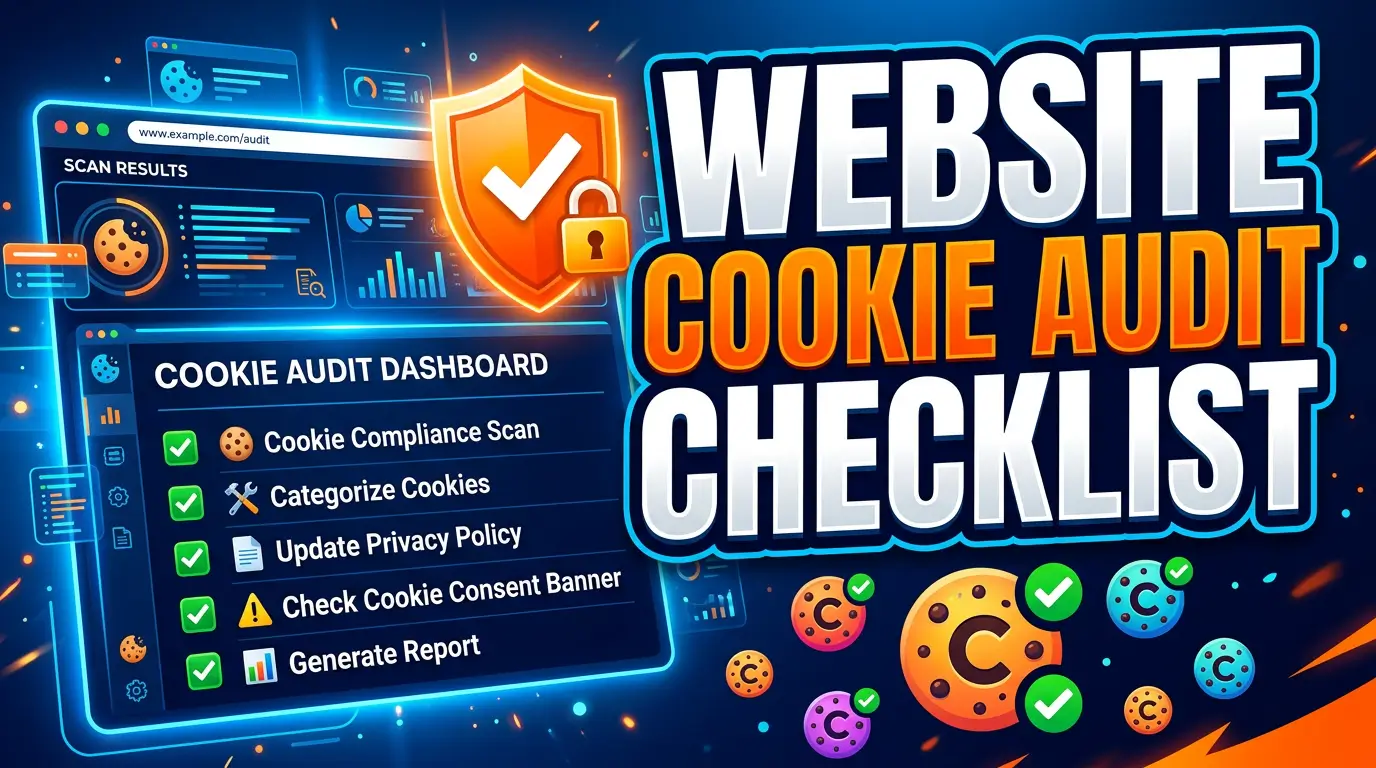
A cookie banner is not a cookie audit.
The banner is the part visitors see. The audit is the work that proves the banner, policy, tag manager, embeds, and actual browser behavior agree with each other. When they don’t, a polished consent box can hide a messy tracking setup.
This resource gives business owners and web teams one repeatable way to find that mess. It includes a cookie inventory template, a page and user-state testing matrix, a classification framework, and a remediation checklist. It is written for project work, not as legal advice. Have qualified counsel decide which laws apply to your organization and whether a specific technology requires consent.
Why a cookie audit needs more than a scanner
A scanner gives you evidence from one crawl at one moment. It does not know every route a customer can take.
A scheduling widget may load only after someone opens a booking page. A payment provider may appear at checkout. A chat tool may wait for a click. An advertising pixel may fire only after a campaign parameter is present. Logged-in users may receive a different set of cookies than anonymous visitors.
Regulators expect businesses to understand the technologies they use. The UK Information Commissioner’s Office says organizations should [identify which storage and access technologies they use, confirm their purposes, identify what data is stored or accessed, and establish how long each technology lasts]. Its guidance covers more than browser cookies, including pixels, scripts, tracking URLs, local storage, device fingerprinting, and similar methods.
That broader definition is useful even if your business is not subject to UK rules. If a third party receives visitor data but never writes a traditional cookie, a cookie-only scan can miss the business issue.
The website cookie inventory template
Create one row for each cookie or tracking technology. If the same cookie behaves differently by region, subdomain, or consent state, use separate rows. A spreadsheet works well because the web team, marketing team, business owner, and counsel can comment without editing code.
Use these columns:
| Field | What to record |
|---|---|
| Cookie or technology name | Exact browser name, request, pixel, local-storage key, or script |
| Provider | The organization that sets or receives it |
| First or third party | Whether the domain matches your site |
| Trigger | Page view, form submit, video play, login, checkout, consent choice, or another event |
| Pages or flows | Every tested location where it appears |
| Purpose | What the business uses it for, in plain language |
| Data involved | Identifiers, IP address, form data, purchase data, behavior, or other fields |
| Category | Strictly necessary, preferences, analytics, advertising, or unclassified |
| Duration | Session or exact expiration period |
| Consent behavior | Before choice, after accept, after reject, or always |
| Withdrawal behavior | What happens after the visitor changes the choice |
| Contract or documentation | Link to the provider’s current technical and privacy documentation |
| Business owner | Person accountable for the tool |
| Technical owner | Person who can change or remove the implementation |
| Policy disclosure | Exact policy section or “missing” |
| Last verified | Test date, tester, browser, region, and evidence link |
| Action | Keep, block, reconfigure, disclose, shorten, replace, or remove |
Do not let “Google,” “Meta,” or “marketing” count as a purpose. Write what the business actually does with the data, such as “count completed quote requests by ad campaign” or “remember items added to the cart.” The ICO says cookie information must be [clear, complete, and include the purposes and duration].
The owner columns prevent a familiar problem: nobody wants to remove a mystery tag because nobody knows who requested it. An unnamed tracker is not automatically malicious. It is still unmanaged.
A seven-step cookie audit process
1. Define the audit boundary
Write down every domain, subdomain, customer portal, landing-page platform, and embedded service in scope. Include staging only if it uses production integrations or real visitor data.
Then list the user states that can change behavior:
- New visitor, returning visitor, accepted all, rejected nonessential, custom preferences, and consent withdrawn
- Desktop and mobile, logged out and logged in, direct visit and campaign visit
- Each region with a different banner or privacy configuration
This is the audit plan. Without it, “we scanned the website” usually means “we opened the home page once.”
2. Build a page and journey sample
Do not test only the five pages in the navigation. Sample by template and function.
Include the home page, a standard content page, a lead form, search results, a video or map embed, account creation, login, checkout, booking, and confirmation pages. Add campaign landing pages that bypass the normal header. Test a 404 page too, because global tag containers and chat widgets often load there.
For a large site, select at least one URL from each content type, layout, or application route. The goal is not to click every URL. It is to cover every distinct way scripts are assembled and every high-value journey.
3. Collect evidence with two methods
Run an automated crawler or cookie scanner across the sample. Then use browser developer tools to inspect storage and network activity manually.
In Chrome DevTools, the Application panel displays cookies and web storage, while the Network panel shows the requests a page makes. Chrome documents how to view, edit, and delete cookies in the Application panel and how to inspect network activity.
Record evidence before interacting with the banner. Clear site data, reload, wait for delayed scripts, scroll, and use the page. Repeat after each consent choice. Preserve screenshots or exported network logs with the audit date.
Automation gives breadth. Manual testing gives context. You need both because a scan may not complete a multistep quote form, play a video, open chat, or authenticate into a portal.
4. Trace each item to its source
For every cookie, request, or storage key, find the code that caused it. Common sources include a tag-management container, CMS plugin, theme, embedded iframe, customer-support tool, analytics SDK, advertising script, or custom application code.
Do not assume the visible domain tells the full story. A first-party URL can proxy data to another provider. A third-party script can also create a first-party cookie.
Google explains that Consent Mode adjusts how Google tags behave based on the consent choices a visitor makes. That makes tag configuration part of the audit. Seeing a banner choice in the interface does not prove every connected tag received or obeyed that choice.
Add the source file, plugin, container tag, or vendor setting to your internal evidence. That turns a finding into something a developer can fix.
5. Classify by purpose, not vendor
Use a small set of categories that match the controls and policy shown to visitors. Necessary, preferences, analytics, and advertising are common labels, but the legal meaning matters more than the label.
A tool is not necessary just because the business likes its report. The ICO describes the UK exception as applying when storage or access is strictly necessary to provide a service explicitly requested by the user. It also warns that the exception does not cover technologies that are merely useful to the business.
Classification needs human review. Ask four questions:
- What user-requested function fails if this item is blocked?
- Does the provider reuse the data for its own purposes?
- Can the purpose be achieved with less data or a shorter duration?
- Does the behavior match the contract, settings, policy, and banner category?
Mark uncertain items “unclassified.” That is more honest and more useful than forcing them into “necessary” to finish the spreadsheet.
6. Test consent and withdrawal as technical states
Build a result matrix for every nonessential category:
| Test state | Expected result |
|---|---|
| Before any choice | Only permitted default technologies operate |
| Accept all | Approved categories operate and the choice is recorded |
| Reject nonessential | Nonessential technologies stay blocked |
| Custom preferences | Only selected categories operate |
| Change preferences | New selection controls future behavior |
| Withdraw consent | A withdrawn category stops operating |
| Return visit | The recorded preference is applied correctly |
| Expired preference | The site requests a fresh choice when appropriate |
Test the reject path as carefully as accept. The ICO says consent must involve a clear affirmative action, be freely given, specific, and informed. It also says users must be able to withdraw consent easily.
Check interface symmetry. Count clicks from the first banner to “accept all” and to an equivalent rejection. Look for preselected optional categories, confusing button labels, muted reject controls, or a close icon that has an unclear effect. The Federal Trade Commission identifies interfaces that trick or manipulate people into choices they might not otherwise make as dark patterns.
For U.S. programs, add an opt-out preference signal test where it applies. California’s regulations say a business must process a frictionless opt-out preference signal as a valid request to opt out of sale or sharing. Global Privacy Control provides a technical specification for sending that preference through the browser at globalprivacycontrol.org.
7. Reconcile the site, policy, and vendor list
Compare the observed inventory with the cookie policy, privacy notice, consent platform, tag-manager workspace, plugin list, and vendor contracts.
Every live item should have an owner, a documented purpose, a category, a duration, and a decision. Every disclosed item that no longer exists should be removed from the policy after review. Every approved tag should appear only under the conditions your team intended.
The Federal Trade Commission says companies must honor the privacy promises they make to consumers. A policy copied from a generator is not useful evidence if it describes a different site.
The remediation priority framework
Score findings by impact and fix them in this order.
Priority 1: data leaves before the required choice. Block or remove the script, then retest from clean storage. This includes an advertising or analytics request that fires while the banner still says no choice has been made.
Priority 2: rejection or withdrawal does not work. Fix tag triggers, consent signals, cached states, and vendor settings. Confirm the failure across the templates where the item appeared.
Priority 3: sensitive or unexpected data is transmitted. Pause the tool if needed and involve the business owner, security contact, and counsel. The FTC has warned health websites and apps about the [privacy and security risks of online tracking technologies that may disclose sensitive health data].
Priority 4: disclosure and configuration disagree. Correct the implementation or the disclosure after the accountable owner confirms the intended use.
Priority 5: ownership, duration, or documentation is missing. Assign an owner and deadline. Remove abandoned tools instead of carrying unknown code forever.
Do not start by rewriting the policy. Fix actual browser behavior first, document the verified result, then update user-facing information. Otherwise, the policy can become a description of what the team hopes the site does.
Cookie audit acceptance criteria
An audit is ready to close when the team can demonstrate all of the following:
- Every in-scope template and journey was tested in the defined states
- Every observed cookie and similar technology has a provider, purpose, category, duration, and owner
- Nonessential tools follow the intended default, acceptance, rejection, preference, and withdrawal states
- The banner, detailed controls, privacy notice, and cookie policy describe the verified behavior
- Removed vendors no longer appear in code, tag containers, plugins, policies, or consent controls
- Evidence includes the date, browser, region, test account state, screenshots or logs, and retest result
Add two signatures to the handoff: a technical owner confirms what the site does, and a business owner confirms why each remaining tool is needed. Counsel can then review a stable inventory instead of trying to discover the technology estate through meetings.
When to audit again
Run the full audit before launch or a major redesign. Repeat it when the business adds an advertising platform, analytics product, chat tool, embedded scheduler, payment provider, video host, personalization system, customer portal, or consent platform.
For ongoing maintenance, use a scheduled scan to flag changes and perform a manual review of the affected journey. The ICO recommends keeping consent under review and refreshing it when purposes or activities change.
A quarterly review is a practical operating rhythm for many active marketing sites, but it is not a universal legal deadline. High-change sites may need continuous monitoring. A brochure site with no new vendors may need less. Tie frequency to release activity, data sensitivity, traffic sources, and previous findings.
Questions business owners should ask the web team
Can we just install a consent plugin?
No plugin can classify your business purpose, discover every user journey, approve vendors, or verify that policy language matches operations. A consent platform can enforce choices and maintain records when it is configured correctly. The audit supplies the inventory and tests that configuration.
Do session cookies need to be inventoried?
Yes. “Session” describes duration, not purpose. The FTC’s own cookie notice distinguishes session cookies that are erased when the browser session ends from persistent cookies that remain longer. Inventory both so reviewers can evaluate what they do.
Are cookies the only thing we test?
No. Include pixels, local storage, scripts, device identifiers, tracking URLs, SDKs, and server-side transfers connected to the web journey. The user experiences one website, even when the data path crosses several systems.
Who should own the final spreadsheet?
The business should own it, with named marketing and technical maintainers. An agency can create and update the inventory, but decisions about vendors, purposes, and risk belong with the organization using the data.
Turn the audit into a cleaner website
A good cookie audit does more than reduce compliance risk. It exposes duplicate analytics, forgotten campaign tags, stale plugins, unclear ownership, and vendors that cost money without helping the customer.
Start with observed behavior. Give every technology a name, owner, purpose, and rule. Test the rules. Then make the banner and policy tell the same story.
If you want a web team to clean up the tracking stack, consent flow, and site implementation, get started with Your Web Team.