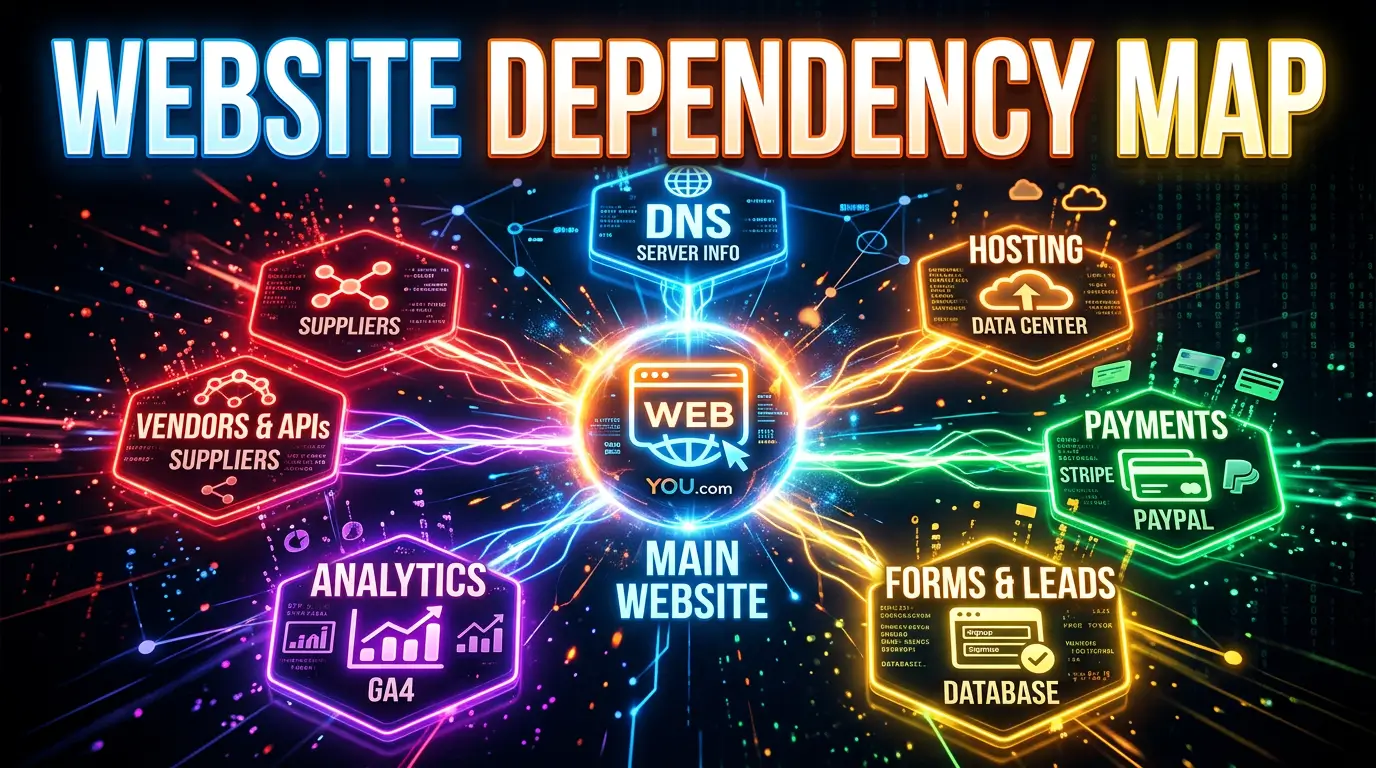
Your website is not one system.
It is a chain of systems owned by different people: a domain at one company, DNS at another, hosting somewhere else, forms connected to a CRM, analytics loaded through a tag manager, a payment provider, a scheduling tool, fonts, maps, chat, review widgets, and code nobody remembers approving.
That chain usually looks fine until one link fails. Then the owner discovers the domain login belongs to a former employee, the contact form sends through an expired email account, or restoring the website does nothing because the broken service sits outside the backup.
A website dependency map prevents that scramble. It shows what the site depends on, what data moves between systems, who controls each account, and what happens when a component stops working. This template is built for business owners, web professionals, marketing teams, and IT partners who need a shared view of the whole machine.
What is a website dependency map?
A website dependency map is a record of the internal and external systems required for a website to operate. It connects each component to its owner, purpose, data, access method, cost, failure impact, and recovery procedure.
The idea comes from ordinary architecture work. OWASP’s web security testing guide says testers need a clear picture of an application’s technologies and components before they can make meaningful recommendations. Its application-architecture map includes web servers, platforms, databases, authentication, third-party services, reverse proxies, load balancers, and other infrastructure (OWASP).
Your version does not need to look like an enterprise network diagram. A useful small-business map can be a spreadsheet with one row per dependency and a simple diagram showing the critical paths.
Why a list of software is not enough
A tech-stack list might say WordPress, Cloudflare, Stripe, HubSpot, and Calendly. That is a start, but it does not answer the questions people ask during a failure:
- Does Cloudflare control DNS, caching, security rules, or all three?
- Which forms send data to HubSpot, and where does a lead go if that connection fails?
- Who can log in to the domain registrar without calling the old agency?
- Does the backup include uploaded files and the database, or only code?
- Which pages stop producing revenue if Stripe or Calendly is unavailable?
- What customer information crosses each service?
OWASP notes that almost all web applications load or interact with third-party resources, including scripts, fonts, iframes, APIs, social buttons, advertising networks, and payment gateways (OWASP). A plain vendor list misses those relationships. A dependency map records them.
The website dependency map template
Create a spreadsheet and use these columns. One row should represent one service, component, integration, or account.
| Field | What to record |
|---|---|
| Component | The recognizable name, such as domain registrar, WordPress, Stripe, or Google Tag Manager |
| Category | Domain, DNS, hosting, CMS, database, code, form, payment, analytics, marketing, security, content, or support |
| Business purpose | The job it performs in plain English |
| Connected from | The page, system, plugin, script, or person that sends the request |
| Connected to | The next system that receives data or controls behavior |
| Data handled | Names, emails, payment tokens, analytics events, credentials, files, or no personal data |
| Business owner | Person accountable for whether the service is still needed |
| Technical owner | Person or vendor who can configure and troubleshoot it |
| Account owner | Email address or role that controls the primary account |
| Backup admin | Second authorized person who can get in |
| Billing owner | Person who receives invoices and expiration notices |
| Renewal | Monthly, annual, contract end date, or free |
| Failure impact | What customers and staff cannot do if it stops |
| Criticality | Critical, high, medium, or low |
| Detection | Monitor, alert, report, or manual test that reveals failure |
| Workaround | Temporary path for calls, leads, orders, bookings, or content |
| Recovery | Restore, rollback, vendor contact, configuration export, or replacement procedure |
| Last verified | Date someone tested the login, connection, and recovery information |
| Evidence | Link to the contract, runbook, configuration export, or internal documentation |
Do not put passwords, recovery codes, or API secrets in the sheet. Store those in a password manager and record the vault item name. The map should tell an authorized person where access lives without becoming a second credential database.
Map the seven layers
Work from the outside in. This catches dependencies that a CMS plugin list will never show.
1. Domain and DNS
Start with the domain registrar, registrant contact, renewal status, nameservers, DNS provider, and every record that affects the website or email. Include the people authorized to change them.
DNS is easy to overlook because it is not visible in the page editor. It is also upstream of nearly everything. A wrong address record can take the site offline, while an accidental change to MX, SPF, DKIM, or DMARC records can interfere with business email.
Record the current DNS configuration and its export location. Add certificate management, CDN settings, firewall rules, redirects handled at the edge, and any status-page account. Note whether the registrar and DNS provider are the same company. That relationship changes the recovery path.
2. Hosting, code, database, and files
Map the hosting platform, production environment, staging environment, source-code repository, deployment service, database, media storage, and backup provider.
For each backup, record exactly what it covers. WordPress’s developer documentation separates database backups from website-file backups and says both are needed for a complete backup (WordPress). A restore that brings back templates but not orders, users, posts, or uploads is not a full recovery.
Connect code deployments to database migrations and generated assets. If the host can roll back a deployment, document whether that action also reverses database or environment changes. Usually these are separate decisions, so the map must show them separately.
3. Content management and publishing
List the CMS, page builder, plugins, themes, search service, media library, translation system, cookie banner, and content feeds. Record which items are custom, licensed, abandoned, or maintained by a vendor.
Add every place that can publish or alter public content. That may include a headless CMS, ecommerce catalog, location-data service, review feed, careers platform, or social embed. A business owner should be able to see which system controls a page without asking three vendors.
For licensed software, capture the license owner and renewal date. A plugin licensed through an agency account may stop receiving updates when the agency relationship ends. The website can continue looking normal while the support and update path has already broken.
4. Forms, CRM, email, and automation
Trace one real submission from the browser to the final destination.
A lead may travel from a form plugin to a webhook, spam filter, CRM, sales inbox, text notification, and automated email sequence. Write each handoff as a separate connection. Then add the failure signal for each one. A thank-you message only proves that the browser received a success response. It does not prove the lead reached the salesperson.
Record where form submissions are retained, who can view them, and how long they remain there. If personal data passes to another service, name that service and the purpose. The map is an operational aid, not a substitute for legal review, but it gives whoever handles privacy and vendor contracts a usable inventory.
5. Ecommerce, payments, and bookings
Map the catalog, cart, payment processor, fraud service, tax calculator, shipping system, inventory source, order email, accounting connection, booking calendar, and reminder service.
Do not write “Stripe handles checkout” as one row. Show the path: product page to cart, cart to hosted payment field, payment result to order database, order to fulfillment, and confirmation to customer. That makes it possible to identify whether a failed transaction came from the site, payment provider, inventory rule, or downstream automation.
Payment systems deserve clear ownership because a restore can create a reconciliation problem. Reverting a database may remove the site’s record of an order without reversing the charge at the payment provider. The recovery note should say which system is the financial source of truth and who reconciles differences.
6. Analytics, advertising, and third-party scripts
Inventory tag managers, analytics tools, ad pixels, heatmaps, chat widgets, call tracking, A/B testing, personalization, maps, video players, fonts, review widgets, and consent tools.
Use browser developer tools and the tag manager to find what actually loads. Do not rely only on invoices or the CMS admin. OWASP explains that third-party resources can be loaded directly by a visitor’s browser, which makes browser inspection a practical discovery method (OWASP).
For every script, document who requested it, what decision it supports, and what happens if it is removed. “Marketing uses it” is not an owner or a business purpose. Name the report, campaign, test, or customer function.
7. People, vendors, and access
Finish with the human dependencies. List the primary and backup administrator for the registrar, DNS, host, CMS, repository, payment system, analytics, email delivery, CRM, and password manager.
The Verizon 2026 Data Breach Investigations Report recommends multifactor authentication, software updates, employee training, encryption, regular defense testing, and an incident response plan as core risk-reduction steps (Verizon). Your map supports that work by showing which accounts and systems need those controls and who is responsible for them.
Flag personal email accounts, shared logins, former employees, former agencies, single administrators, missing multifactor authentication, and accounts where nobody receives billing notices. Those are not clerical problems. They are single points of failure.
Score criticality without arguing for an hour
Assign each dependency one of four levels based on business impact:
| Level | Definition | Typical examples | Review cycle |
|---|---|---|---|
| Critical | Failure stops revenue, exposes sensitive data, or takes the main site offline | Domain, DNS, host, database, checkout, primary lead form | Monthly |
| High | Failure blocks an important customer or staff workflow | CRM delivery, booking, transactional email, inventory | Quarterly |
| Medium | Failure damages measurement, usability, or a secondary function | Analytics, reviews, chat, maps | Twice a year |
| Low | Failure has limited immediate impact and an easy workaround | Decorative embed, optional feed, nonessential widget | Annually |
Adjust the examples to the business. Calendly may be optional for a manufacturer that takes phone calls, but critical for a consultant whose site exists to book appointments.
Then add a simple recovery priority. Systems with high impact and no workaround go first. Systems with a manual workaround can wait. This creates an honest recovery order before an outage starts.
Draw the one-page version
The spreadsheet holds detail. The diagram should explain the business in 60 seconds.
Put the website in the center. Place customer-entry systems on the left: browser, search, ads, email, QR codes, and partner referrals. Put revenue destinations on the right: sales inbox, CRM, calendar, payment processor, ecommerce fulfillment, or phone system. Put infrastructure below: registrar, DNS, CDN, host, database, storage, and deployment. Draw arrows to show data or control moving between them.
Label each arrow with the action: “loads script,” “sends lead,” “creates order,” “updates inventory,” “changes DNS,” or “deploys code.” Mark critical paths in red and manual workarounds in green. Add the accountable person’s role beside every critical component.
The result does not need to be pretty. It needs to answer three questions quickly: what failed, what else depends on it, and who can act?
Run a dependency-map workshop in 90 minutes
Invite the owner, one person from marketing or sales, the web lead, and whoever controls IT or vendors. Give one person the spreadsheet and one person the diagram.
Spend the first 20 minutes tracing how a visitor reaches the site. Spend 25 minutes tracing a lead, booking, or order through every destination. Use the next 20 minutes on infrastructure, backups, and publishing. Spend 15 minutes on accounts, billing, and vendors. Use the final 10 minutes to select the five most dangerous gaps.
Do not try to fix everything during the workshop. Assign an owner and due date to each gap. Common first actions are adding a backup administrator, moving an account away from a former employee’s email, testing a form delivery path, exporting DNS records, identifying what a backup includes, and removing an unowned script.
Test the map with four failure drills
A map becomes trustworthy when it survives a test. Run these scenarios at least once:
- The site is offline. Can the team distinguish a DNS, CDN, hosting, deployment, or application problem and reach the correct account?
- Leads stopped arriving. Can someone submit a test, inspect each handoff, find retained submissions, and use a temporary contact route?
- The primary administrator is unavailable. Can the backup admin reach every critical service without using the first person’s phone or personal email?
- The site must be restored. Can the team identify the last known-good code, database, files, configuration, and external data that a restore will not cover?
Record the date, result, gap, owner, and next test. NIST’s contingency-planning guide treats testing, training, and exercises as part of contingency-plan development rather than an optional step after documentation (NIST SP 800-34 Rev. 1). A map nobody has tested is still a collection of assumptions.
Keep the map current
Update the dependency map when the business launches a new campaign, changes agencies, adds software, changes domains, replaces a form, introduces a payment option, changes staff, or moves hosting. Review critical dependencies monthly and the full map at least once a year.
Tie updates to existing work. Make “dependency map updated” part of launch approval, vendor offboarding, employee offboarding, and annual planning. If a new service cannot be added to the map because nobody knows who owns it or what data it receives, the service is not ready for production.
For domain changes and large migrations, Google recommends preparing a URL map, testing the new site, configuring redirects, and monitoring both old and new URLs (Google Search Central). Add those migration-specific connections to the map before the change, then verify them after launch.
Website dependency map FAQ
Who should own the website dependency map?
The business should own it, even if an agency or IT provider maintains it. Assign one accountable employee and give relevant vendors access to update their sections. A vendor can leave. The operating record needs to remain with the business.
What is the difference between a dependency map and an access inventory?
An access inventory records accounts, administrators, and login controls. A dependency map includes access, but also shows system relationships, data movement, business impact, monitoring, workarounds, and recovery. The access inventory is one section of the larger map.
Should every plugin and script be included?
Include anything that can change customer experience, security, privacy, revenue, publishing, measurement, or recovery. A harmless design utility can be grouped with its platform. A plugin that processes forms, payments, redirects, accounts, backups, or tracking needs its own row.
How often should the map be reviewed?
Review critical rows monthly, high-impact rows quarterly, and the full map annually. Also update it after any meaningful launch, vendor change, employee departure, migration, or incident.
Can a diagram replace the spreadsheet?
No. The diagram shows relationships quickly, while the spreadsheet holds owners, dates, contracts, access locations, failure impact, and recovery notes. Use both. Keep the diagram simple enough to read during an incident.
Turn unknown dependencies into owned systems
The value of this exercise is not the drawing. It is the moment your team can name every critical service, trace every important customer action, find the right account, and recover without depending on one person’s memory.
If your website has grown through years of plugins, vendors, campaigns, and staff changes, we can help audit the stack and turn it into a manageable system. Get started with Your Web Team.