A small business website can lose search visibility without publishing bad content, buying sketchy links, or changing a single word.
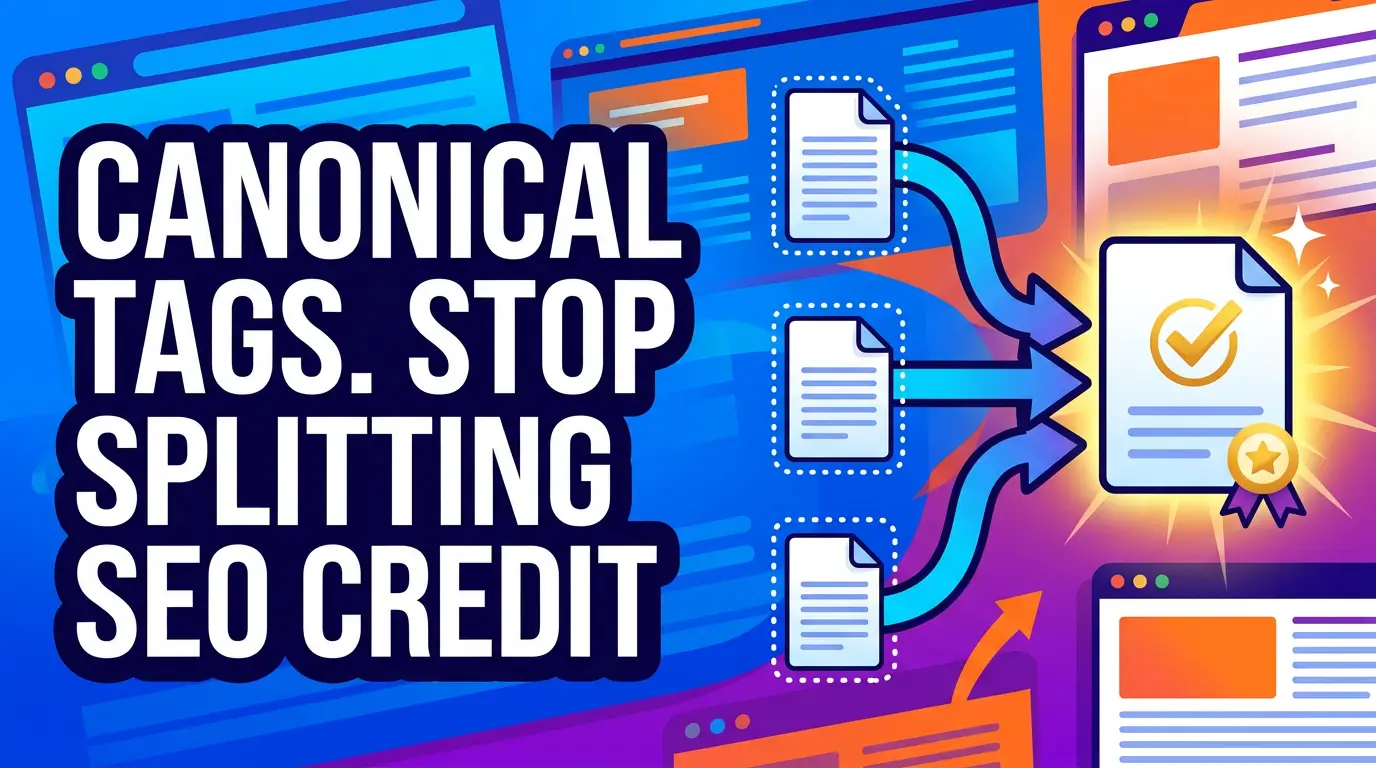
Sometimes Google simply finds the same page at three or four different URLs. One has tracking parameters. One has a trailing slash. One came from an old campaign. One is the clean version you actually want customers to see. If Google has to sort that out alone, it may choose the wrong URL or split signals that should point to one clear winner.
That is what canonical tags are built to fix.
They are not flashy. Nobody asks their web designer for “better canonicalization” in the first meeting. But if you run an ecommerce site, service-area pages, blog posts, filtered category pages, or campaign landing pages, canonical tags keep SEO from leaking through the cracks.
What a canonical tag actually does
A canonical tag tells search engines which URL is the main version of a page when similar or duplicate versions exist. Google defines canonicalization as the process of selecting the representative URL from a set of duplicate pages, then using that canonical page as the main version in search results and quality evaluation (Google Search Central).
Here is the plain-English version:
If these URLs show the same or nearly the same content:
https://example.com/services/website-design/https://example.com/services/website-design?utm_source=newsletterhttps://example.com/services/website-design/?fbclid=abc123
You want Google to treat the clean service page as the real one.
Google says rel=“canonical” annotations are a strong signal, while sitemap inclusion is a weaker signal and redirects are also strong signals when a URL is permanently moving (Google Search Central). The wording matters. A canonical tag is a strong hint, not a command. If your internal links, redirects, sitemap, and canonical tags all disagree, Google may ignore your preference.
Why this matters more in 2026
Technical SEO basics are improving across the web, which means sloppy setup stands out more than it used to.
The 2025 Web Almanac found that canonical tag usage rose from 65% on both desktop and mobile in 2024 to 68% on desktop and 67% on mobile in 2025 (HTTP Archive Web Almanac). That is good progress, but it still means about one-third of pages in the dataset did not have a canonical tag.
For small businesses, the risk is not usually a giant technical disaster. It is slow signal loss.
A roofing company might have one “roof repair” page, but the same content is reachable through old ad links, tracking URLs, and a WordPress category archive. A boutique might have product pages filtered by color, size, and price, creating dozens of URL combinations. None of that feels urgent until rankings dip and nobody can explain why.
Canonical tags do not replace good content, reviews, local SEO, or fast pages. They just make sure search engines understand which page deserves credit.
The most common small business canonical problems
1. Tracking URLs get treated like separate pages
UTM links are useful. You should track email campaigns, ads, QR codes, partner referrals, and social posts. The trouble starts when tracking URLs become crawlable and internally linked.
Google gives this example directly: you may prefer users to reach a product page through a clean URL rather than a URL with a tracking parameter like ?gclid=ABCD, and canonicals help consolidate signals from those similar URLs (Google Search Central).
For a small business, that means the Facebook ad URL, newsletter URL, and Google Ads URL should all point their canonical tag back to the clean page.
Bad outcome: every campaign URL competes with the real page.
Better outcome: every campaign URL reports properly in analytics, but the clean URL gets the SEO credit.
2. Internal links point to the wrong version
Google recommends linking internally to the canonical URL rather than duplicate URLs because consistent internal links help Google understand your preferred version (Google Search Central).
This is where small sites get messy fast. The header links to /services. The footer links to /services/. A blog post links to /services?ref=blog. Your sitemap lists one version, but your canonical tag points to another. If this sounds familiar, use a simple internal linking strategy for small business SEO alongside the canonical cleanup.
Each one is a small mixed signal.
Pick one format and use it everywhere. Usually that means HTTPS, lowercase URLs, a consistent trailing slash policy, and no tracking parameters in normal site navigation.
3. Filtered pages create thin duplicates
Ecommerce and directory-style websites are especially vulnerable. Google warns that poor ecommerce URL structures can make the same content get retrieved multiple times, slow crawling, or create what looks like an infinite number of URLs when parameters keep changing (Google Search Central).
Think about a store category like:
/shirts?color=blue&size=medium&sort=price-low
Some filtered pages deserve to rank. “Blue work shirts” might be a valuable category. But a sort order, temporary sale filter, session ID, or tracking parameter usually should not become a separate search page.
Google recommends minimizing alternative URLs that return the same content and avoiding internal links to temporary parameters like session IDs, tracking codes, user-relative values, or timestamps (Google Search Central).
For most small stores, the safe starting point is simple: canonical temporary filters back to the clean category page unless that filtered page has unique content and real search demand.
4. JavaScript changes the canonical after the page loads
Some modern sites render metadata in the browser after the initial HTML loads. That can work, but it creates more failure points.
The Web Almanac found that rendered canonical tags were present on 66.01% of desktop sites and 66.11% of mobile sites, while raw canonical tags appeared on 64.40% of desktop sites and 64.27% of mobile sites (HTTP Archive Web Almanac). The report also notes that putting the canonical tag in the raw HTML is the most reliable approach because it remains unchanged after rendering (HTTP Archive Web Almanac).
Google gives similar advice: if you use client-side rendering, make the canonical URL as clear as possible, preferably in the HTML source, and make sure JavaScript does not change it (Google Search Central).
If your site uses React, Vue, Shopify apps, WordPress SEO plugins, or a visual page builder, do not assume the canonical is correct. Check the source HTML and the rendered DOM.
5. Old pages need redirects, not canonicals
A canonical tag is not the right tool when a page is gone for good.
If you moved /old-service/ to /new-service/, use a 301 redirect. Google lists redirects as a strong canonicalization signal and recommends using redirects when deprecating a duplicate page (Google Search Central).
A canonical tag says, “This other URL is the preferred version.” A redirect says, “This URL has moved.”
Use the stronger, clearer signal when you can.
A practical canonical setup for a small business site
You do not need an enterprise SEO platform to get this right. You need a clean rule set and a monthly check.
Start with these defaults:
- Every indexable page should have one self-referencing canonical tag.
- Canonical URLs should be absolute, not relative.
- Internal links should point to the canonical version.
- Sitemap URLs should match canonical URLs.
- Tracking and campaign URLs should canonical back to the clean page.
- Permanently moved pages should use 301 redirects.
- Filtered or sorted URLs should only be indexable when they have unique value.
Google specifically recommends absolute paths in rel=“canonical” tags because relative paths can cause long-term problems, especially if a testing site accidentally gets crawled (Google Search Central).
So use this:
<link rel="canonical" href="https://www.example.com/services/web-design/" />Not this:
<link rel="canonical" href="/services/web-design/" />That tiny difference can prevent ugly staging-domain mistakes.
How to audit your canonicals in 30 minutes
You can do a quick version without buying anything.
First, open your five most important pages in a browser. View source and search for canonical. Confirm there is exactly one canonical tag and that it points to the URL you want indexed.
Second, test a campaign-style URL. Add ?utm_source=test to one important page and check whether the canonical still points to the clean version.
Third, compare your sitemap against your actual page URLs. If your sitemap lists URLs that redirect, return errors, or disagree with the canonical tag, fix that. Google says sitemap inclusion is a weaker canonicalization signal, but it stacks with stronger signals when everything agrees (Google Search Central).
Fourth, check Google Search Console. Use URL Inspection on a page that matters. Look for “User-declared canonical” and “Google-selected canonical.” If they disagree, do not panic. Google can choose a different canonical for valid reasons. But if it happens on important service, product, or location pages, inspect your internal links, redirects, sitemap, and duplicate versions.
Finally, crawl the site with Screaming Frog, Sitebulb, Ahrefs, Semrush, or another crawler if you have access. Export pages with missing canonicals, multiple canonicals, non-indexable canonicals, canonicals to redirects, and canonicals that point to broken URLs.
When not to use canonical tags
Canonical tags get abused because they seem like an easy cleanup tool. They are not a junk drawer.
Do not use a canonical tag to hide a page you do not want indexed. Google says not to use robots.txt for canonicalization and not to use noindex to prevent Google from selecting a canonical page within a single site, because noindex blocks the page from Search entirely (Google Search Central).
Do not canonical unrelated pages together. If your “emergency plumbing” page and your “water heater repair” page are different services, do not point one canonical at the other just because they share some copy. Improve the copy instead.
Do not canonical all paginated pages to page one unless the content is truly duplicative. Google’s ecommerce URL guidance says each page in paginated results should have a unique URL, and it notes that pagination URL structures are a common source of mistakes (Google Search Central).
Do not canonical broken, redirected, or blocked URLs. A canonical should point to a clean, indexable, 200-status page that you would be happy to show in search results.
The business payoff
Canonical tags will not turn a weak offer into a strong one. They will not make thin service pages rank. They will not fix a slow website or a bad reputation.
But they can protect the work you already paid for.
If you spent money on content, web design, local SEO, ads, email campaigns, or ecommerce products, you want all those signals feeding the correct pages. Clean canonicalization helps Google crawl less waste, understand your preferred URLs, consolidate duplicate signals, and show cleaner URLs to searchers.
The businesses that win technical SEO are not always doing exotic things. Often, they just make fewer preventable mistakes.
If you want a small business website that is easier for Google, customers, and AI search tools to understand, start with a technical SEO and website cleanup plan. We will help you find the quiet issues before they turn into lost leads.