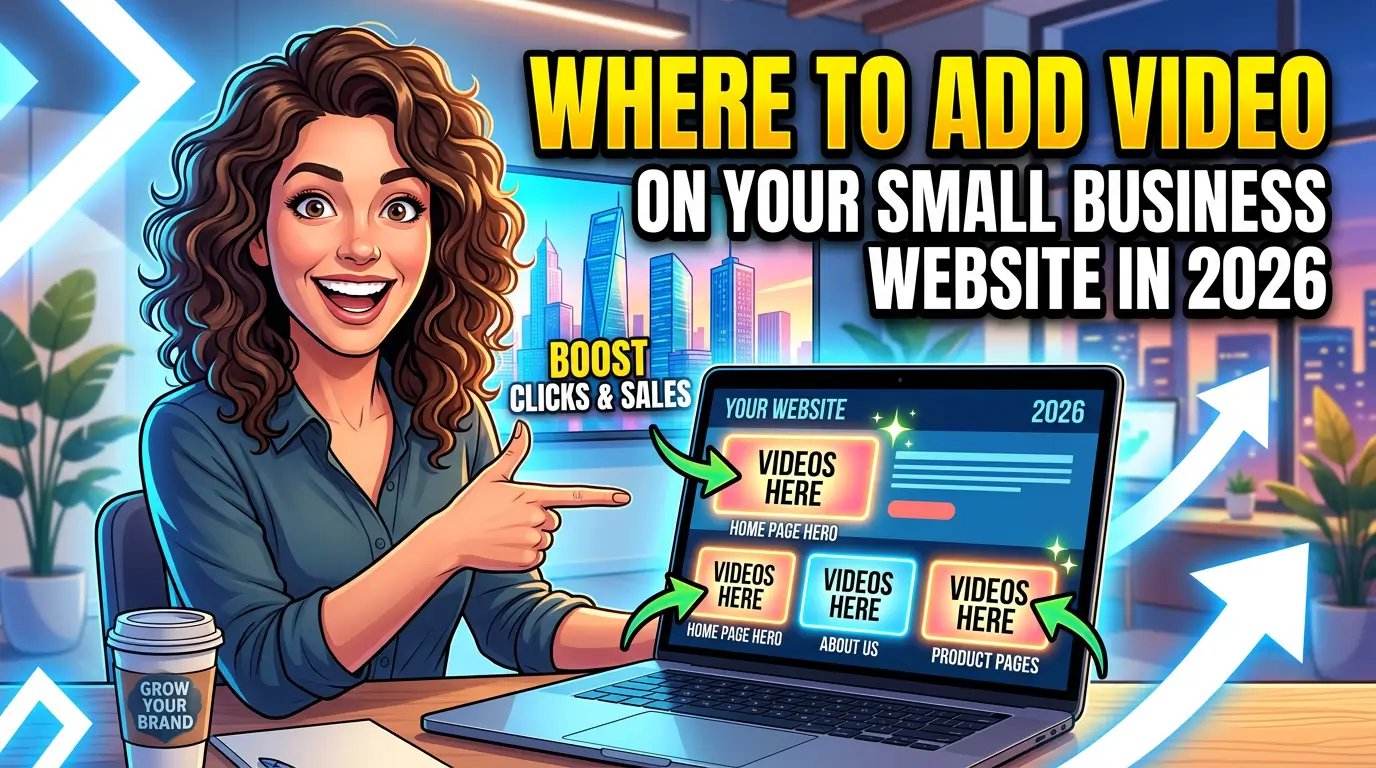
Most small businesses already know video matters. The real problem is placement.
A lot of businesses shoot one decent video, upload it somewhere, and then stick it on the homepage because that feels safe. Meanwhile, the pages where buyers actually make decisions, your service pages, contact page, testimonials, and thank-you pages, stay text-only.
That’s backwards.
According to Wyzowl’s 2026 video marketing survey, 91% of businesses use video as a marketing tool, 85% of video marketers say video helps them generate leads, and 82% say it helps increase web traffic. Wistia’s 2025 State of Video Report adds a useful detail: videos on blog posts and landing pages see engagement rates above 40% on average, and videos on contact pages get some of the highest play rates.
That gives small businesses a cleaner strategy than “make more content.” Put video on the pages where trust breaks down, questions pile up, and leads hesitate.
The goal is not more video, it’s less friction
Video works because it answers the stuff buyers don’t want to dig for.
Can I trust you? What’s the process? What will this cost me in time? Are you going to be a pain to work with? Do you actually know what you’re doing?
A short, specific video can answer those questions faster than 800 words of copy.
That matters because people increasingly want to learn that way. Wyzowl reports that 63% of consumers most want to learn about a product or service by watching a short video, while only 12% prefer text-based articles. That does not mean text is dead. It means your site should use both. Let the copy rank and explain. Let the video reassure and move people forward.
1. Add a short intro video to your homepage
Your homepage video should do one job: help the right visitor say, “Yes, this looks like a fit.”
Not your origin story. Not a cinematic brand film. Not three minutes of drone shots.
For most small businesses, the best homepage video is 30 to 60 seconds and answers four questions fast:
- who you help
- what you do
- what makes your process easier or better
- what the visitor should do next
This fits the way people actually watch. Wyzowl found that 71% of marketers believe videos between 30 seconds and 2 minutes are most effective. Short works because homepage visitors are still qualifying you.
A good example for a local service business could be:
“Need a new website that actually brings in leads? We build fast, SEO-ready sites for small businesses, handle the copy and design, and give you a clear process from kickoff to launch. If you want help, start here.”
That’s enough. Clarity beats production value.
2. Put service-specific videos on service pages
If you offer more than one service, this is where video usually has the most practical value.
Someone on your homepage may be curious. Someone on a service page is evaluating.
Wistia reports that videos on blog posts and landing pages average engagement rates above 40%. Service pages behave a lot more like landing pages than homepages do. That makes them strong candidates for focused explainer videos.
For example:
Web design page
Talk through timeline, deliverables, revision process, and what you need from the client.
SEO page
Explain what you actually do each month, what results you track, and how long realistic movement takes.
PPC page
Show how budget, targeting, and conversion tracking work together so prospects know you’re not just “running ads.”
This is also where video helps filter bad leads. If your process is structured, your timeline is 8 to 10 weeks, or you require client feedback within 48 hours, say it. The right prospects will appreciate it. The wrong ones will self-select out.
3. Use testimonial videos on case study and proof pages
Written reviews are good. Video testimonials are harder to fake and easier to believe.
Wistia notes that customer testimonial videos on case study pages keep viewers engaged almost halfway through on average. That is strong performance for bottom-of-funnel content.
This is one of the best uses of simple, low-budget video. You do not need a studio setup. A clear phone recording from a real client is usually more persuasive than a polished script read by someone who sounds coached.
Ask clients three questions:
- What problem were you trying to solve?
- Why did you choose us?
- What changed after the project went live?
The third question matters most. Outcomes sell.
If a client says, “We started getting better leads,” push for specifics. Did form submissions go up? Did better-fit calls come in? Did sales calls get shorter because the website pre-qualified prospects?
4. Put video on your contact page
Most businesses ignore this page. That’s a mistake.
Wistia’s research found that contact pages have some of the highest play rates for website video, with viewers generally watching about half the video. That makes sense. People on the contact page are close to acting, but they still have doubts.
A contact-page video should reduce anxiety and set expectations. Cover things like:
- who will respond
- how fast you reply
- what happens after the form is submitted
- whether there’s a consultation, proposal, or audit step
- what information helps you give a useful answer
If you’ve ever gotten junk leads, wildly mismatched budgets, or vague “just checking prices” messages, this video can help fix that.
Something as simple as “We reply within one business day, and if it looks like a fit, we’ll schedule a 20-minute call” makes the next step feel real.
5. Add video to blog posts that explain complex topics
Not every blog post needs a video. But some topics are easier to show than describe.
If you’re writing about website audits, conversion tracking, SEO reporting, call tracking, accessibility issues, or redesign planning, a quick walkthrough can do a better job than another five paragraphs.
This lines up with Wistia’s data showing strong engagement for videos placed on blog posts, and with Wyzowl’s finding that 96% of people have watched an explainer video to learn more about a product or service.
A good rule is simple: if you would naturally explain it on a Zoom call by sharing your screen, it can probably work as a blog video.
That can also help your sales process. Prospects who watch a two-minute walkthrough before they book tend to show up better informed.
6. Use thank-you page video to increase next-step conversion
This is one of the most underused spots on a small business website.
A visitor fills out your form, downloads a lead magnet, books a consultation, or requests a quote. Then they hit a dead-end thank-you page with one sentence on it.
That’s wasted attention.
Use a short video to tell them exactly what happens next. You can also give one useful next action: watch a case study, gather a few documents before the call, read your pricing page, or check your FAQ.
Wistia found that videos on thank-you pages may get fewer plays than some other page types, but viewers who do watch tend to stay engaged. These are warm visitors. Don’t treat them like cold traffic.
7. Add video only when the page has a clear job
This is where a lot of sites go off the rails.
If you add video because “video is hot right now,” you’ll bloat the page, slow it down, and create one more thing you never update.
Every video should have a job:
- reassure a skeptical buyer
- explain a service
- show a process
- prove an outcome
- prepare a lead for the next step
If you can’t name the job, don’t add the video.
Don’t hurt your site speed while trying to help conversions
This part matters.
Google’s PageSpeed Insights documentation makes it clear that performance is measured with real-world and lab data, and that Core Web Vitals like LCP, CLS, and INP are central signals in page experience. In plain English, if your video setup makes the page load poorly or jump around, users will feel it.
A few practical rules:
Lazy-load non-critical video
Google says lazy-loading is a valid performance and UX best practice, but it needs to be implemented correctly so content is still discoverable.
Don’t hide primary video content behind weird interactions
Google’s video best practices warn that if a page requires complex user actions or specific fragments to load a video, Google may not find it properly.
Use a proper thumbnail
A blank player does not earn clicks. A good thumbnail with a human face, a product shot, or a clear promise will.
Keep layout stable
Reserve the video space so the page does not jump when the embed loads. That helps with Cumulative Layout Shift guidance in PageSpeed Insights.
Decide when YouTube is fine and when native hosting is better
YouTube is great for reach and convenience. Native or premium hosting is often better when you care about on-page conversion, branding, lead capture, and keeping people on your site.
Don’t ignore captions and metadata
Video that nobody can follow with the sound off is weaker than most businesses realize.
Wistia reports that caption use has increased 572% since 2021, which tracks with how people actually browse on phones and at work. Accessibility matters too. The W3C’s WCAG guidance says captions should be provided for all prerecorded audio content in synchronized media.
If the video lives on your site and you want SEO value from it, give Google the basics too. Google’s documentation on VideoObject structured data and video SEO best practices makes it clear that titles, descriptions, thumbnails, and structured data help Google understand your video content.
That means your upload process should include:
- a clear title
- a useful description
- a custom thumbnail
- captions
- structured data when video is a key page asset
A simple rollout plan for small businesses
If you want the biggest return with the least hassle, start with these four videos:
- Homepage intro video
- One service-page explainer for your highest-margin service
- One client testimonial video
- One contact-page expectations video
That is enough to test the impact without turning your website into a production project.
Track form submissions, booked calls, time on page, and assisted conversions. If those move in the right direction, expand from there.
Most small businesses do not need a content studio. They need a camera, a decent mic, a clear script, and the discipline to put video where buyers actually hesitate.
If you want help deciding what pages need video, how to script it, or how to add it without slowing your site down, get started here.

Richard Kastl
Founder & Lead EngineerRichard Kastl has spent 14 years engineering websites that generate revenue. He combines expertise in web development, SEO, digital marketing, and conversion optimization to build sites that make the phone ring. His work has helped generate over $30M in pipeline for clients ranging from industrial manufacturers to SaaS companies.