There are dozens of website launch checklists floating around the internet. Most of them look the same: check your SSL, test your forms, submit your sitemap. They’re fine for making sure nothing’s broken. But they all miss the same thing.
They don’t ask whether your website will actually make money.
A technically perfect website that doesn’t convert visitors into customers is just an expensive digital brochure. And that’s what most new websites end up being, because the people launching them treated it as a development project instead of a revenue project.
The Revenue-Ready Website Launch Framework flips that approach. Instead of starting with “does the code work?” it starts with “will this generate business?” Every technical decision, every design choice, every piece of content gets filtered through a single question: does this move the needle on revenue?
Here’s how it works.
Phase 1: The Revenue Foundation (4-6 Weeks Before Launch)
Most launch planning starts with wireframes or design mockups. That’s too late. Before a single pixel gets placed, you need clarity on three things: who you’re selling to, what you’re selling them, and how you’ll measure whether it’s working.
Define your conversion goals with numbers attached. Not “we want more leads” but “we need 50 qualified form submissions per month at a 3% conversion rate, which means we need roughly 1,700 monthly visitors.” Work backward from revenue. If your average deal is worth $5,000 and you close 20% of qualified leads, each form submission is worth $1,000. That changes how you think about every page on the site.
Map your buyer’s decision process. Your homepage isn’t where people buy. It’s where they start a process that might take days, weeks, or months. Sketch out the actual path a buyer takes: they land on a blog post from Google, read two more articles, visit your services page, check your case studies, then fill out the contact form. Every page on your site should have a clear role in this process.
Set up your measurement infrastructure before you build anything. This sounds backward, but it prevents one of the most common launch mistakes: going live without proper tracking. Google Analytics 4 should be configured with conversion events, not just pageviews. If you’re running paid ads, your pixels need to fire correctly from day one. According to a Portent study examining over 100 million pageviews, lead generation sites that load in one second convert at 39%, dropping to 18% at six seconds. You can’t optimize what you can’t measure, and you can’t measure what you haven’t set up.
This is also where you set realistic benchmarks. The average ecommerce conversion rate sits around 3.2% for top-performing sites, per WordStream’s 2026 analysis. If your projections assume 10% conversion rates on a brand-new site with no existing traffic, you’re building on a fantasy.
Phase 2: Performance as a Revenue Strategy (3-4 Weeks Before Launch)
Speed isn’t a technical metric. It’s a revenue metric.
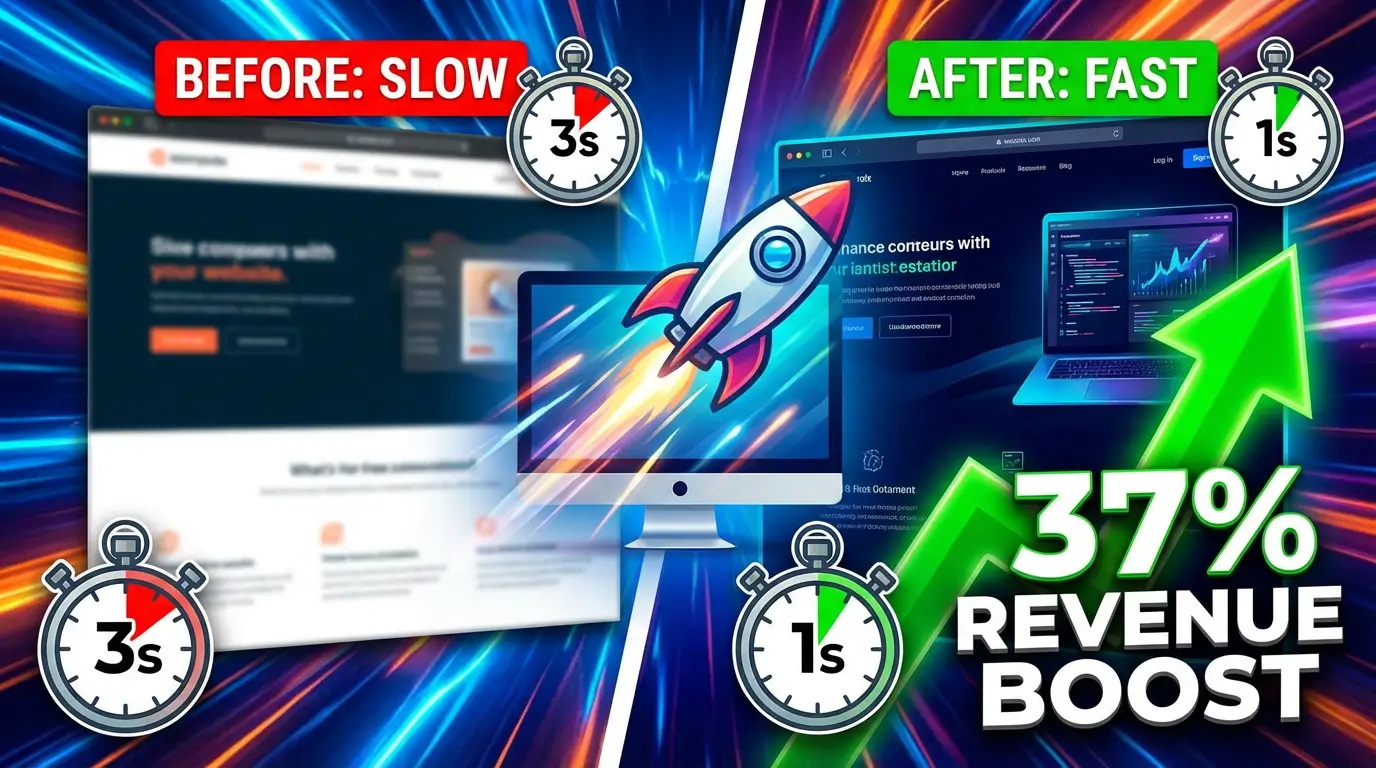
Data from Portent shows that ecommerce sites loading in one second see conversion rates of 3.05%, while sites taking five seconds to load drop to just 1.08%. That’s a 3x difference in revenue from the same traffic. At 1,000 daily visitors with a $50 average order value, that gap represents roughly $29,550 in lost revenue per month.
The BBC found that for every additional second their pages take to load, they lose 10% of users. With 207 million monthly users, a single second costs them over 20 million visitors. Your numbers are smaller, but the percentage hit is the same.
Google agrees. According to Think with Google, the probability of a visitor bouncing increases 32% as page load goes from one second to three seconds. Sites that load in one second average a 7% bounce rate. At five seconds, that spikes to 38%, according to Pingdom’s analysis of millions of speed tests.
So how do you build a fast site from the start?
Choose your tech stack based on performance, not convenience. A static site generator like Astro or Next.js will outperform a bloated WordPress install every time. If you’re using WordPress, strip it back. Every plugin you add is potential dead weight. The average page speed of a first-page Google result is 1.65 seconds, per Backlinko’s analysis, and the average website sits at 3.21 seconds according to Pingdom. Your goal is to be in the first group.
Optimize images before they enter the CMS, not after. Convert everything to WebP. Set explicit width and height attributes to prevent layout shift. Lazy-load anything below the fold. These aren’t optional optimizations; they’re baseline requirements.
Target Core Web Vitals thresholds from the beginning. LCP under 2.5 seconds, INP under 200 milliseconds, CLS under 0.1. According to Marketing LTB’s analysis of web performance data, only 38% of websites currently meet all three Core Web Vitals thresholds. Being in that 38% is a competitive advantage before you even think about content or backlinks.
Set a performance budget and enforce it. Total page weight under 1MB. No more than 50 HTTP requests. JavaScript bundle under 200KB compressed. Write these numbers down and test against them before every deployment.
Phase 3: Trust Architecture (2-3 Weeks Before Launch)
Visitors decide whether to trust your site within seconds. That snap judgment determines whether they stay or bounce, and it’s driven by signals most launch checklists barely mention.
SSL isn’t optional; it’s the bare minimum. According to Sci-Tech Today’s analysis of SSL adoption data, 84% of users avoid websites without secure connections. Google Chrome actively warns users about non-HTTPS sites. SSL Insights reported that 28.7% of surveyed sites still fail to follow SSL best practices, which means getting this right already puts you ahead of nearly a third of the web.
But trust goes way beyond the padlock icon.
Social proof needs to be baked into the architecture, not sprinkled on later. Testimonials should appear on service pages, not just a dedicated testimonials page nobody visits. Case studies need specific numbers: “increased revenue by 34% over six months” beats “really happy with the results” every time. Logos of companies you’ve worked with should be visible without scrolling on key landing pages.
Your contact information should be impossible to miss. Phone number in the header. Physical address in the footer. Contact form accessible from every page. For B2B companies especially, hiding your contact info behind three clicks is leaving money on the table. Visitors who can’t find how to reach you won’t try harder; they’ll go to a competitor.
Professional design signals matter more than you think. Consistent typography, proper spacing, aligned elements, a coherent color scheme. These things seem cosmetic, but they’re trust signals. A site that looks thrown together signals a business that might operate the same way. You don’t need to spend $50,000 on custom design, but you do need consistent, clean visual execution.
Phase 4: SEO That Starts Generating Traffic on Day One (1-2 Weeks Before Launch)
Here’s a mistake that costs businesses months of lost traffic: treating SEO as something you do after launch.
Your SEO strategy should be baked into every page before you go live. This means more than meta titles and descriptions, although yes, you need those too.
Structure your URL hierarchy around topics, not your org chart. Your visitors don’t care that you have separate departments for “solutions” and “services” and “offerings.” They care about solving their problem. Build your URL structure around the topics your buyers are searching for: /web-design/, /ecommerce-development/, /seo-services/. Clean, logical, keyword-informed.
Every page needs schema markup. At minimum: Organization schema on your homepage, LocalBusiness schema if you serve a geographic area, FAQ schema on relevant pages, and Article schema on blog posts. Schema doesn’t directly boost rankings, but it can earn you rich snippets that dramatically improve click-through rates.
Create your XML sitemap and robots.txt before launch, and submit them immediately after. Register your site in Google Search Console and Bing Webmaster Tools during the pre-launch phase so you’re ready to submit the moment you go live. The sooner search engines find your pages, the sooner you start appearing in results.
Set up proper redirects if you’re migrating from an old site. This is the single biggest SEO mistake during a relaunch. Every URL on your old site that has any traffic or backlinks needs a 301 redirect to the equivalent page on the new site. Miss this step and you’ll watch your organic traffic crater overnight. Map out every redirect in a spreadsheet, implement them before launch, and test them the same day.
Launch with content that targets real keywords. Your blog shouldn’t be empty on launch day. Publish 5-10 articles targeting long-tail keywords in your niche. These are the pages that will bring organic traffic while your homepage and service pages build authority. Think about what your ideal customer types into Google at 11pm when they’re researching solutions, and make sure you have a page that answers that question.
Phase 5: Accessibility and Legal Compliance (1 Week Before Launch)
This section could save you from a lawsuit. That’s not hyperbole.
ADA website accessibility lawsuits surged 37% in the first half of 2025, with 2,014 cases filed in just six months, according to EcomBack’s mid-year report. UsableNet’s tracker shows more than 25,000 digital accessibility lawsuits filed between 2018 and 2025. Small businesses aren’t exempt; AudioEye reports that 77% of ADA lawsuits in 2023 targeted smaller companies.
And here’s the kicker: accessibility overlay widgets aren’t a solution. According to UsableNet, 25% of all ADA lawsuits in 2024 explicitly cited accessibility widgets as barriers rather than solutions. A widget that claims to “fix” accessibility for $50/month could actually increase your legal exposure.
What actually works is building accessibility in from the start.
Test with WAVE or axe DevTools before launch. Fix every error, not just the critical ones. Proper heading hierarchy, sufficient color contrast (4.5:1 minimum for normal text), keyboard navigation that works through every interactive element, descriptive alt text on meaningful images, and form labels that are properly associated with their inputs.
Don’t forget your legal pages. Privacy policy, terms of service, and cookie consent are all required in most jurisdictions. If you collect any personal data, including through contact forms or analytics, GDPR and CCPA apply regardless of where you’re physically located if you have visitors from those regions. Get a lawyer to review these. Using a generator template is better than nothing, but custom legal pages tailored to your actual data practices are safer.
Phase 6: Pre-Launch Testing (3-5 Days Before Launch)
This is where the traditional checklist stuff lives, and it’s still important. But notice it comes after all the revenue-focused work above.
Cross-browser testing on actual devices. Chrome, Firefox, Safari, and Edge on desktop. Safari on iOS and Chrome on Android. Test on real phones, not just browser developer tools. Responsive design simulators miss touch interactions, scrolling behavior, and real-world rendering quirks. Pay special attention to forms on mobile since more than half of web traffic comes from mobile devices, and a form that’s awkward to fill out on a phone is a form people won’t fill out.
Test every form end-to-end. Fill it out, submit it, verify the email arrives, check that the auto-responder fires, confirm the data appears in your CRM. Then test it again with edge cases: special characters in the name field, international phone numbers, very long messages. Forms are where money enters your business. They need to be bulletproof.
Check every link on every page. Broken links are both a terrible user experience and an SEO negative. Practical Ecommerce’s 2026 analysis confirms that 404 errors hurt organic rankings through poor usability signals and lost link equity. Run a crawler like Screaming Frog across your entire site before launch. Fix every broken link.
Verify your analytics are actually recording data. Visit your site, complete a conversion action, and check that it shows up in GA4 within 24 hours. Check that your Google Search Console property is verified. Confirm any ad pixels are firing with the platform’s debugging tools. Launching without verified analytics means you’re flying blind during the most important days of your site’s life.
Load test if you’re expecting significant traffic. If you’re planning a launch campaign, email blast, or social push, your server needs to handle the spike. A site that goes down during its own launch announcement is a PR disaster that’s entirely preventable.
Phase 7: Launch Day Protocol
Don’t launch on a Friday. If something goes wrong, you don’t want to be debugging over the weekend, or worse, waiting until Monday while your broken site sits in front of the world.
Tuesday or Wednesday morning is ideal. It gives you the full work week to catch and fix issues.
Launch during low-traffic hours for your audience. If your customers are in the US Eastern time zone, launch at 6am ET. You’ll have the morning to verify everything before peak traffic hits.
Have a rollback plan. Know exactly how to revert to the previous version of your site if something catastrophic happens. This means having a backup of the old site, knowing how to switch DNS back, and having tested the rollback procedure at least once. You probably won’t need it. But the one time you do, you’ll be very glad it exists.
Monitor actively for the first 48 hours. Watch your uptime monitor, check your error logs, review your analytics in real time. Look for 404 spikes, slow page loads, form submission failures, and unexpected traffic patterns. The first 48 hours after launch surface 90% of the issues you’ll ever encounter.
Send your sitemap to Google Search Console within the first hour. Submit your site to IndexNow-compatible search engines. The sooner crawlers find your pages, the sooner you appear in results.
Phase 8: Post-Launch Revenue Optimization (First 30 Days)
Your website isn’t done when it launches. It’s just starting.
The first 30 days are your most valuable optimization window because you’re gathering real user data for the first time. Everything before this was educated guessing. Now you have actual numbers.
Install a heatmapping tool like Hotjar or Microsoft Clarity (it’s free). Watch where people actually click, how far they scroll, and where they leave. You’ll be surprised. The CTA you thought was obvious might be invisible to real visitors. The section you considered filler might be where everyone spends the most time.
Review your conversion funnel weekly. Where are people dropping off? If 500 people visit your services page but only 10 click through to the contact form, that’s your bottleneck. Fix the services page before you worry about driving more traffic. Getting a 2% conversion rate to 4% has the same revenue impact as doubling your traffic, and it’s usually much cheaper.
A/B test one thing at a time. Don’t redesign your whole homepage based on a hunch. Change the headline. Measure for two weeks. Then change the CTA button color or copy. Measure again. Small, measured changes compound into significant revenue improvements.
Fix the content gaps your analytics reveal. Look at what people are searching for on your site, what pages have high bounce rates, and what referring keywords bring traffic to unexpected pages. These data points tell you exactly what content to create next.
82% of consumers say slow page speeds impact their purchasing decisions, according to Unbounce. If your post-launch analytics show slow pages, that’s your first fix. Not new content, not new features. Speed.
Why This Framework Works
Most website launches fail to generate revenue not because the code was bad or the design was ugly. They fail because nobody asked the revenue questions early enough.
By the time a typical project reaches launch day, thousands of micro-decisions have already been made about layout, navigation, content structure, and technical architecture. If those decisions weren’t informed by revenue goals, you end up with a site that looks nice and does nothing.
The Revenue-Ready Framework puts the money questions first. Not because revenue is the only thing that matters, but because a website that generates business justifies its own existence and earns the budget for everything else: better design, better content, better user experience.
A website that doesn’t make money is a cost center. A website that generates revenue is an investment. The difference between the two isn’t luck or aesthetics. It’s whether someone asked the right questions before the first line of code was written.
Get Your Website Revenue-Ready
Building a website that actually generates business takes more than a checklist. If you’re planning a launch, a redesign, or wondering why your current site isn’t pulling its weight, let’s talk about making your website work harder for your business. We’ll help you build something that doesn’t just look good but actually drives the revenue your business needs.

Richard Kastl
Founder & Lead EngineerRichard Kastl has spent 14 years engineering websites that generate revenue. He combines expertise in web development, SEO, digital marketing, and conversion optimization to build sites that make the phone ring. His work has helped generate over $30M in pipeline for clients ranging from industrial manufacturers to SaaS companies.